# 연결

{% tabs %}
{% tab title="API Key로 연결" %}

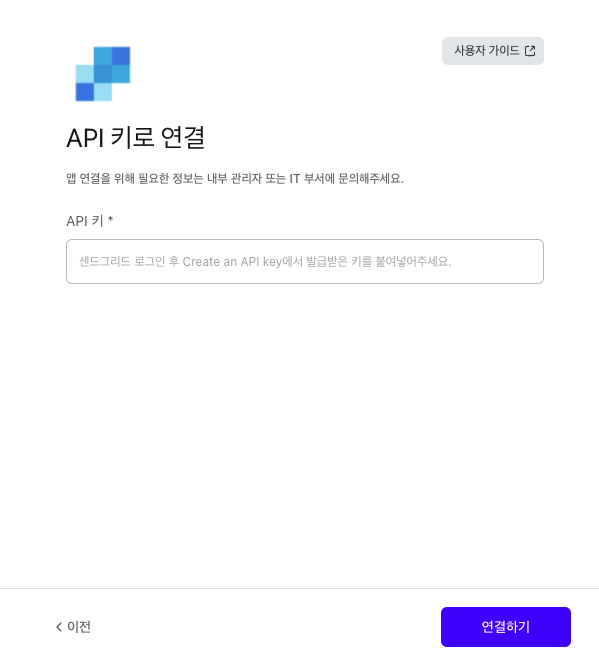
<figure><img src="https://1362923181-files.gitbook.io/~/files/v0/b/gitbook-x-prod.appspot.com/o/spaces%2F5PH5ktGI0BWG6g9fvtcn%2Fuploads%2FmYjwDkAjnt6R0VeVmJkL%2FScreenshot%200006-12-09%20at%2011.12.46%E2%80%AFAM.png?alt=media&#x26;token=4c183ccf-c048-42b9-b811-a3b9bb119d19" alt="" width="449"><figcaption></figcaption></figure>

센드그리드에서 생성한 API Key를 폼에 붙여넣은 후 연결하기 버튼을 눌러주세요. \
키 생성은 상단의 API Key 확인 방법 탭을 참조하세요
{% endtab %}

{% tab title="API Key 확인 방법" %}

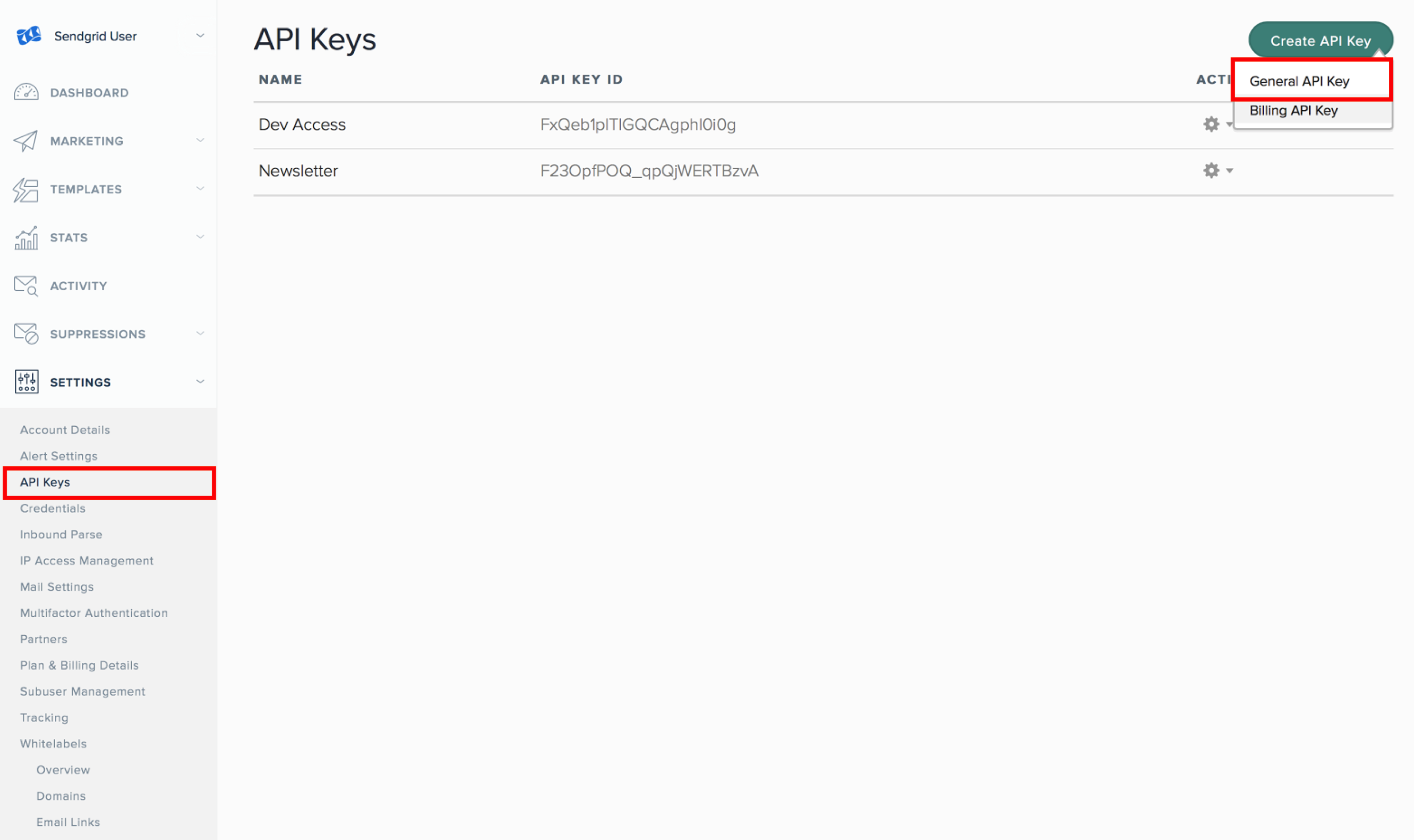
1. 센드그리드 대시보드 메뉴에서 Settings > API Keys 메뉴 이동 후 Create API Key > General API Key를 선택합니다.&#x20;

<figure><img src="https://1362923181-files.gitbook.io/~/files/v0/b/gitbook-x-prod.appspot.com/o/spaces%2F5PH5ktGI0BWG6g9fvtcn%2Fuploads%2FSWs2lCIQycECcSEKKwr7%2Fsendgrid.png?alt=media&#x26;token=e154a0f8-d804-4a36-af6c-798f628511e4" alt=""><figcaption></figcaption></figure>

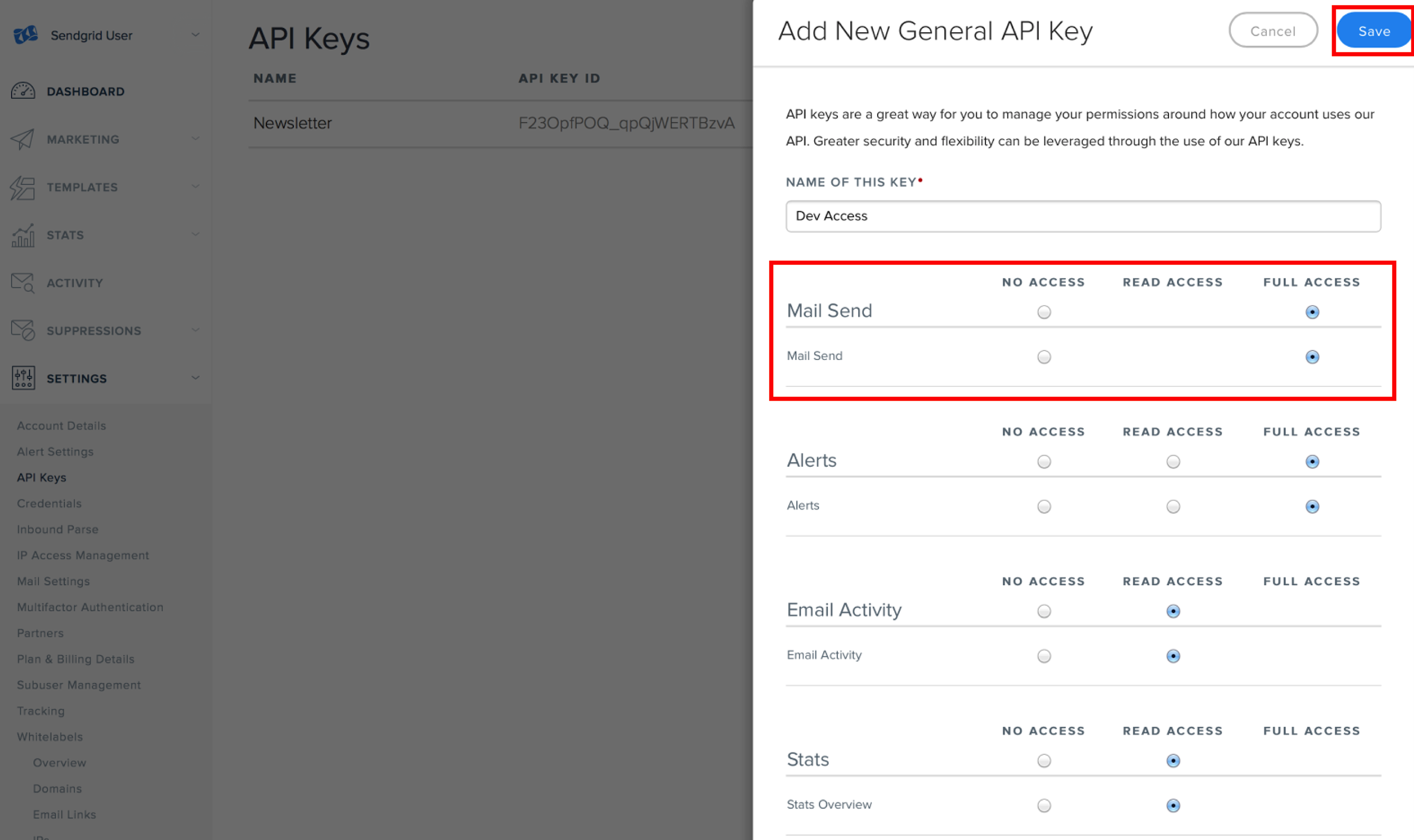
2. API Key 의 이름과 Mail Send 의 권한을 Full Access 로 설정 후 Save 버튼을 누르면 API Key가 생성됩니다. <br>

   <figure><img src="https://1362923181-files.gitbook.io/~/files/v0/b/gitbook-x-prod.appspot.com/o/spaces%2F5PH5ktGI0BWG6g9fvtcn%2Fuploads%2FkQ45IxvppciraqTtG5Gl%2Fsendgrid2.png?alt=media&#x26;token=6aa6675d-0535-4298-a432-6a938fb6572d" alt=""><figcaption></figcaption></figure>

{% endtab %}
{% endtabs %}